









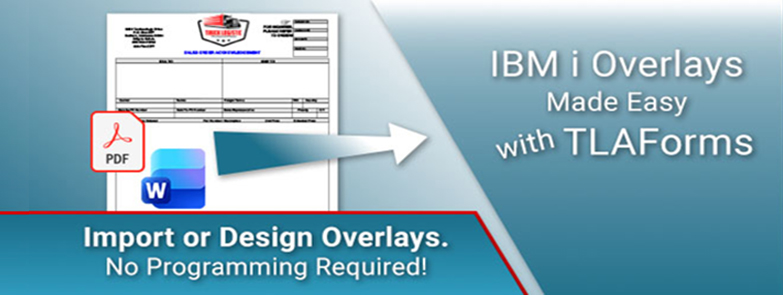
Here’s a recent inquiry from a would-be customer?
By Mike Schuett, T.L. Ashford & Associates
“I need help getting our BOL template up and running . . . and our outside programmers cannot figure out the overlay. They suggested the best way to make changes was to use TLAForms.”
What is an Overlay and why should you care?
An Overlay is a predesigned template containing static elements like logos, lines and text. Variable data from IBM i files and applications can be merged with the overlay to generate forms. Manually managing overlays for use with forms on the IBM i, usually using AFP, often requires a programmer to be involved. A series of tedious steps is required to generate an overlay from a document and upload that overlay to the IBM i. If anything is amiss with the uploaded overlay, the process starts again. Another major hurdle, is that the margins for an overlay will change depending on the printer that’s being used. This is a major source of frustration, and this is about the time the frustrated programmer calls TL Ashford to find a better solution.
TLAForms – A Better Solution for Overlays and IBM i Forms
TLAForms offers two methods to create and manage overlays with IBM i forms.
1. Word docs and PDF’s can be imported into TLAForms and placed on a form as an overlay. Simple, easy. When an overlay needs to be modified, a new, updated Word doc or PDF can be imported.
2. The second method is to use the tools within TLAForms to create the overlay. Use lines, boxes, images, etc. to create the overlay that can be saved as a template. The template can be used on any form and is editable when modifications are required. TL Ashford also supplies any templates we currently have to be used on your forms.
If managing overlays feel more complicated than it should, TLAForms was designed to change that. Whether you’re importing existing Word and PDF docduments or building reusable templates directs in the designer, TLAForms gives you flexibiility without hte complaexity of AFP or custom programming.
See for yourself how easy it can be to design and manage IBM i forms.
Download a free, 30-day trial of TLAForms and get started.
 Business users want new applications now. Market and regulatory pressures require faster application updates and delivery into production. Your IBM i developers may be approaching retirement, and you see no sure way to fill their positions with experienced developers. In addition, you may be caught between maintaining your existing applications and the uncertainty of moving to something new.
 IT managers hoping to find new IBM i talent are discovering that the pool of experienced RPG programmers and operators or administrators with intimate knowledge of the operating system and the applications that run on it is small. This begs the question: How will you manage the platform that supports such a big part of your business? This guide offers strategies and software suggestions to help you plan IT staffing and resources and smooth the transition after your AS/400 talent retires. Read on to learn:
LATEST COMMENTS
MC Press Online