









The i5 can run a variety of open-source software, thanks to i5/OS PASE's support of AIX binaries. One fine specimen is cURL (client for URLs), a popular program for Internet communication.
From cURL's manual: "cURL is a tool to transfer data from or to a server, using one of the supported protocols (HTTP, HTTPS, FTP, FTPS, TFTP, DICT, TELNET, LDAP or FILE)...cURL offers a busload of useful tricks."
It's easy to use cURL to request pages from Web sites, or, with a little Control Language (CL) code, to automate Web-based tasks:
- Check whether your site is running.
- Get Web-based information according to the URL parameters you pass.
- Execute an action on another server via a URL.
- Upload a file to a Web site that supports HTTP file uploads.
This article will get you started by demonstrating a simple Web page download.
Get cURL
Some kind souls on the Web have compiled and packaged the AIX binary for us, so we don't have to compile our own. For this demonstration, we'll choose a non-SSL-enabled version of cURL (SSL encryption would require installing many prerequisites).
Download the cURL command-line binary. It is archived at UCLA's Public Domain Software Library for AIX. Choose the download from the Binary column where the row shows AIX=4.2 and Version=7.13.1. Although this package is somewhat old, it is more complete than that supplied for newer versions. The file can also be downloaded directly (this could change over time) from ftp://aixpdslib.seas.ucla.edu/pub/curl/RISC/4.2/exec/curl.7.13.1.tar.Z. The ".tar.z" extension indicates a UNIX-style compressed archive file. Save the file to your hard drive.
Extract and Install cURL
Although you could use PASE's uncompress/tar commands on your iSeries/i5 to extract the contents of the ".tar.z" file, I prefer to extract the files on my Windows PC with a program such as the free ZipGenius.
The extracted contents comprise a directory structure. Of that structure, we are interested in the /usr/local/bin folder. Look inside the bin folder for a file called curl. Copy curl to your i5's root file system. I chose to copy curl to a folder called /coolprograms using a Windows Explorer mapped drive. If I had not been able to map a drive for some reason, I could have used iSeries Navigator or FTP.
Get a Web Page
Let's try it!
Launch the PASE interactive (terminal) environment:
CALL QP2TERM
Once inside PASE:
cd /coolprograms [or whatever folder you copied curl into]
curl www.google.com
If the i5 is connected to the Internet, you will see the output on your screen (Figure 1).
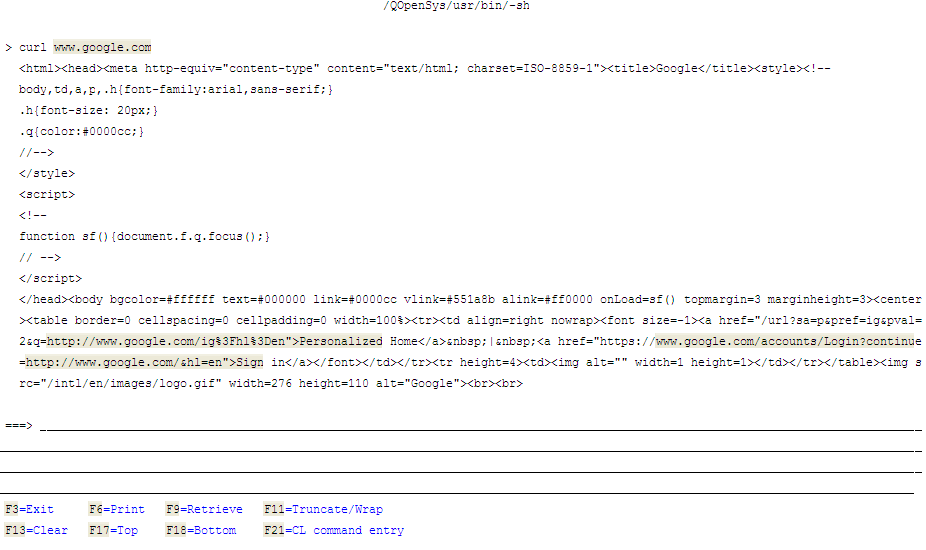
Figure 1: The command curl www.google.com retrieves the HTML of Google's home page. (Click images to enlarge.)
Redirect the Output to a File
We may wish to redirect cURL's output to a file for later analysis or other use. In our example, we will create an output directory and then adapt our curl command to send the output there. A redirection symbol (>) sends the HTML to a file of our choice.
mkdir /htmloutput
curl www.google.com > /htmloutput/google.html
Verify the successful download by viewing the contents with UNIX's cat command:
cat /htmloutput/google.html
The results of these commands are shown in Figure 2.
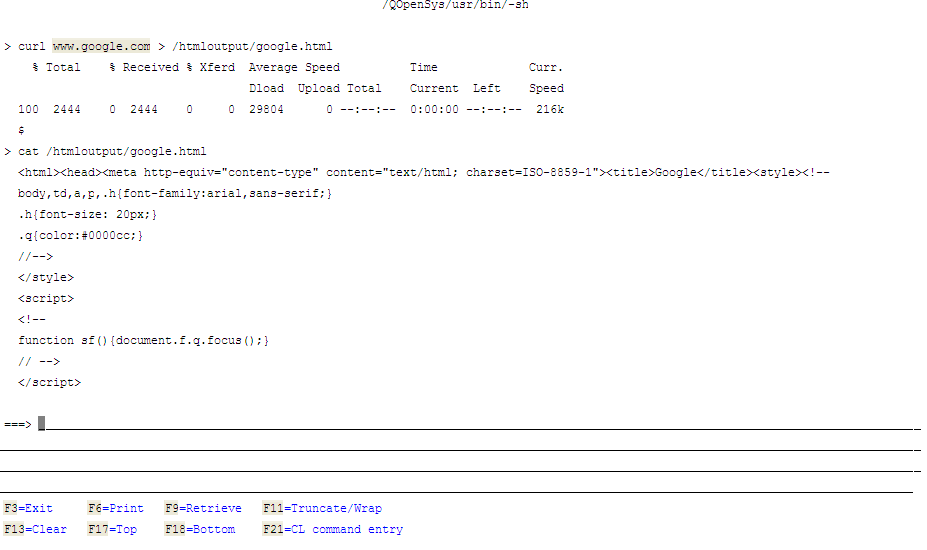
Figure 2: cURL sends output to a file whose contents are then displayed by the UNIX cat command.
Automate cURL by Calling It from CL
For ultimate control, we can automate cURL by calling it via QP2SHELL or QP2SHELL2 from our CL programs:
/* The -o means we will indicate where to save our result. */
/* The -s means silent mode: Do not show status or errors. */
/* (Note that the -o and -s arguments must be lowercase) */
CALL PGM(QP2SHELL2) +
PARM('/coolprograms/curl' '-o' +
'/htmloutput/webpage.html' +
'http://www.thesite.com' '-s')
Use this CL command as a template for many possibilities of letting your i5 talk to the Internet.
Resources
Manual Page for cURL
Using cURL to Automate HTTP Jobs
Mailing Lists for cURL
History of cURL by its creator, Daniel Stenberg

 Business users want new applications now. Market and regulatory pressures require faster application updates and delivery into production. Your IBM i developers may be approaching retirement, and you see no sure way to fill their positions with experienced developers. In addition, you may be caught between maintaining your existing applications and the uncertainty of moving to something new.
 IT managers hoping to find new IBM i talent are discovering that the pool of experienced RPG programmers and operators or administrators with intimate knowledge of the operating system and the applications that run on it is small. This begs the question: How will you manage the platform that supports such a big part of your business? This guide offers strategies and software suggestions to help you plan IT staffing and resources and smooth the transition after your AS/400 talent retires. Read on to learn:
LATEST COMMENTS
MC Press Online