









Ever get irritated while traversing long paths in the IFS root file system? Create a shortcut to get there faster--and learn a little UNIX to boot.
UNIX practitioners know that the ln -scommand generates a symbolic link, a shortcut to a file or file path. On iSeries, the command is available through Qshell.
Here's the command syntax:
ln -s ActualFilename LinkFileName
ActualFilename is the name of the file that is to be linked to, and LinkFileName is the shortcut's name.
Let's take a simple example, using ln –s to shorten the path of a Web server's log folder.
The command wrklnk '/www/test/logs' shows us the logs using the original, long folder path (see Figure 1).
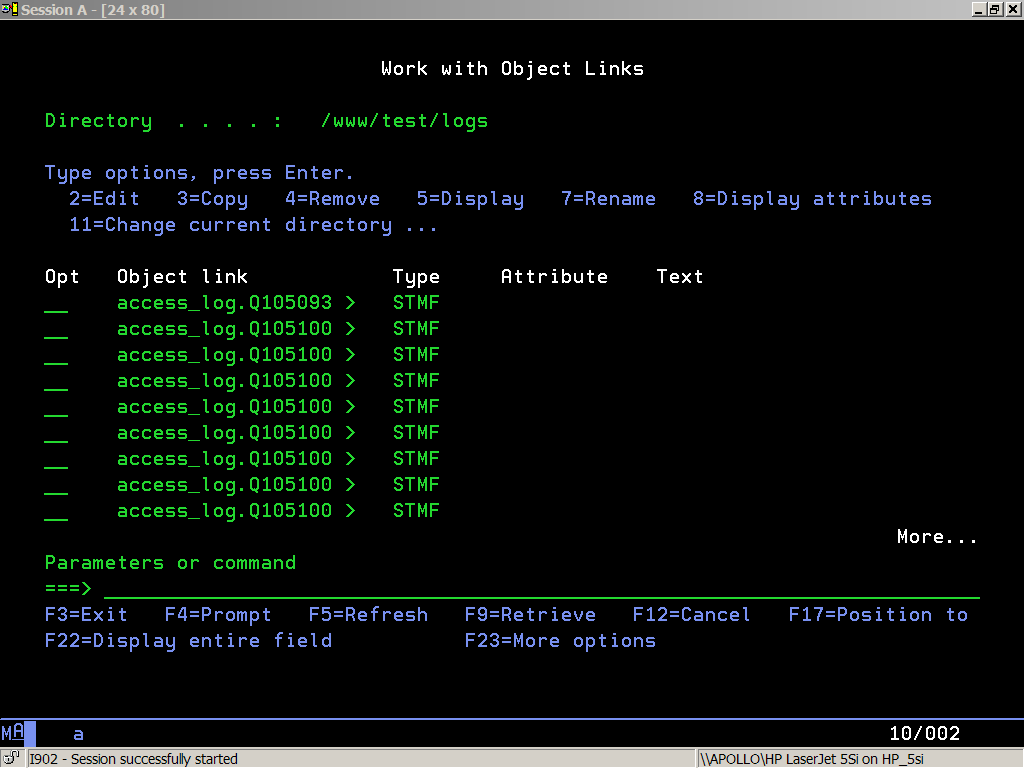
Figure 1: wrklnk '/www/test/logs' displays our Web server log files.
Use qsh to launch the Qshell command line:
qsh
ln -s creates a symbolic link from /www/test/logs to a shorter path, /tlogs:
ln -s /www/test/logs /tlogs
Exit lets us leave the Qshell command line:
exit
Now, view the logs again with a much shorter path, /tlogs:
wrklnk '/tlogs'
Success! Figure 2 shows that the shortcut gives the same result as the longer path did in Figure 1.
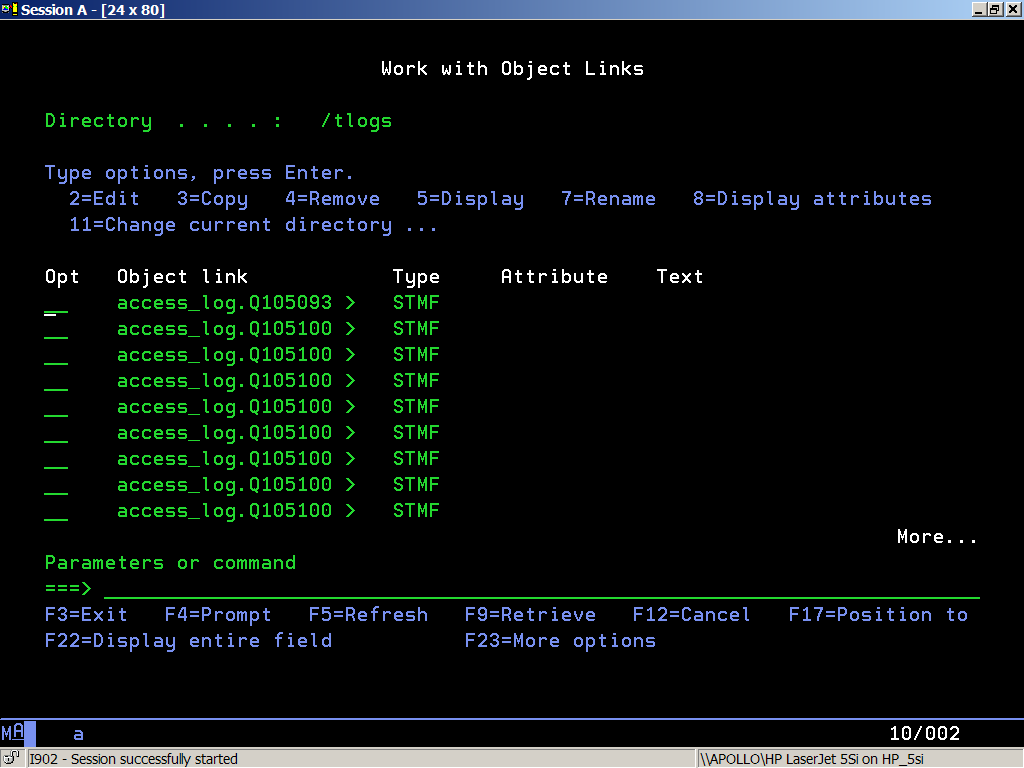
Figure 2: wrklnk '/tlogs' shows the same files that wrklnk '/www/test/logs' did before.
The root-level shortcut /tlogs can also be viewed from other IFS interfaces, such as iSeries Navigator, as shown in Figure 3.
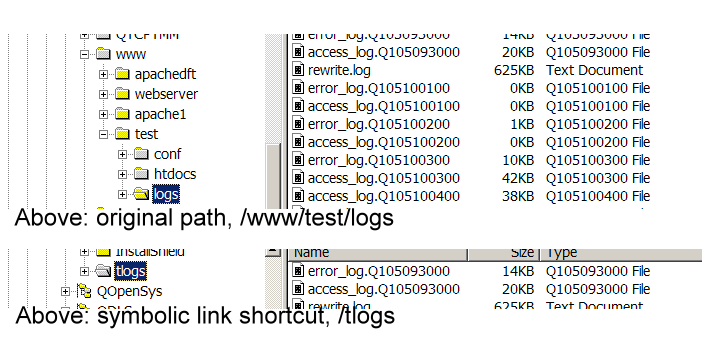
Figure 3: These views show the original path, /www/test/logs, and the shortcut path, /tlogs, from iSeries Navigator.
For more information, see the ln command reference.

 Business users want new applications now. Market and regulatory pressures require faster application updates and delivery into production. Your IBM i developers may be approaching retirement, and you see no sure way to fill their positions with experienced developers. In addition, you may be caught between maintaining your existing applications and the uncertainty of moving to something new.
 IT managers hoping to find new IBM i talent are discovering that the pool of experienced RPG programmers and operators or administrators with intimate knowledge of the operating system and the applications that run on it is small. This begs the question: How will you manage the platform that supports such a big part of your business? This guide offers strategies and software suggestions to help you plan IT staffing and resources and smooth the transition after your AS/400 talent retires. Read on to learn:
LATEST COMMENTS
MC Press Online