









SEQUEL Connects to Remote Databases for Free
SEQUEL allows you access to DB2/400 databases, along with Oracle, MySQL, Microsoft SQL Server, and other JDBC type 4 databases. SEQUEL makes it easy to create connections to these databases. Best of all, end users never have to know that they are viewing data from another system or building a dashboard that presents data from multiple sources.
For example, you can combine data from Oracle, SQL Server, and DB2 into a single executive view (see Figure 1). With SEQUEL, your team can access other servers for no additional charge.
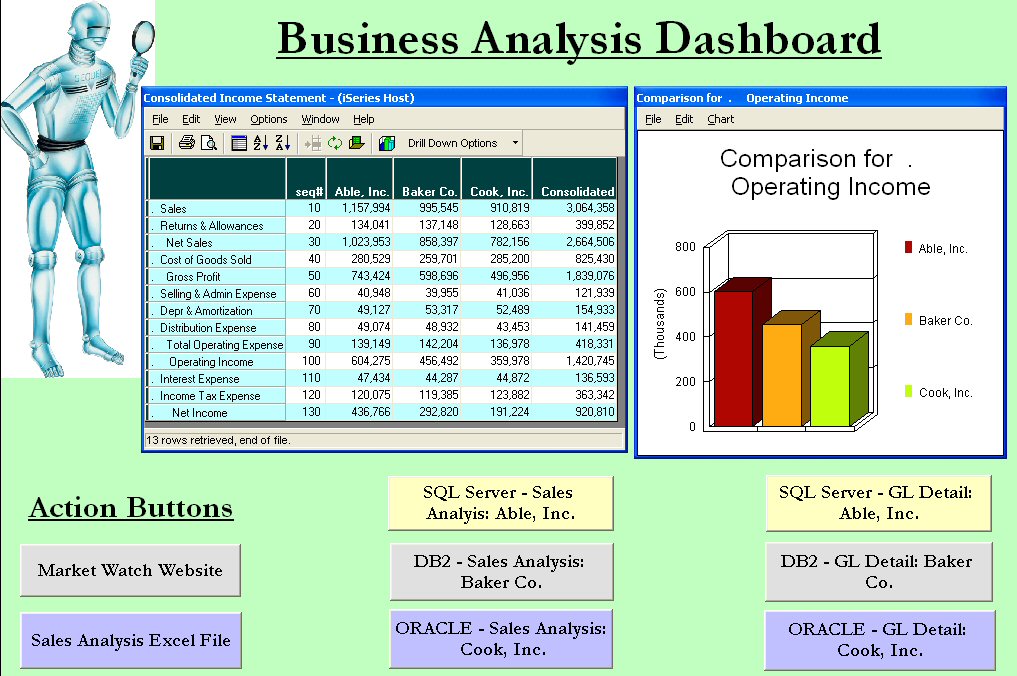
Figure 1: The SEQUEL Dashboard offers connections to multiple databases. (Click images to enlarge.)
How Easy Is It to Connect?
The SEQUEL Administrator makes it easy to set up connections to other databases. You just enter the system name or IP address, along with a user ID and password. Once the connection has been configured, any SEQUEL user can manually point to the defined database (see Figure 2). Or users can set up their defaults so they always access the selected database. With SEQUEL, users can simply build a view and choose the files they want to use, without worrying where they are located.
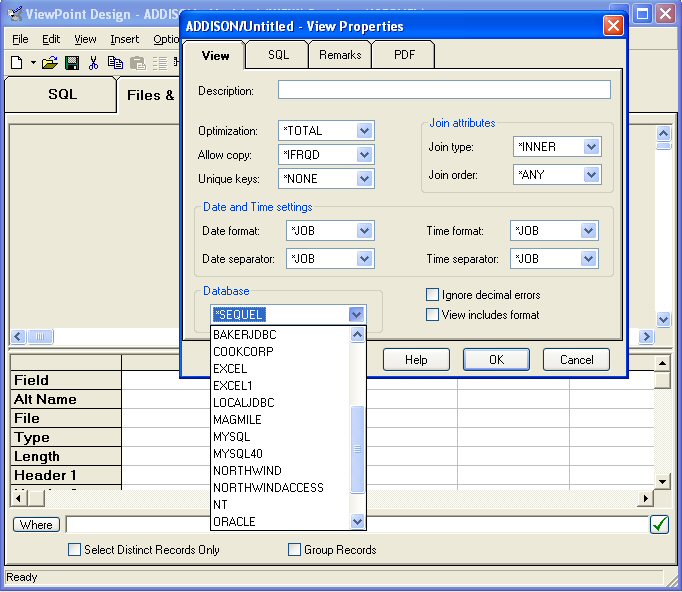
Figure 2: Users can connect to a remote database by selecting from a drop-down list.
How Easy Is It to Add Tables?
To see a list of tables you can query, simply click on the file list (see Figure 3). Just as you can with DB2 files, it's easy to select the tables you need to create new views, tables, drill-downs, summarized graphs, reports, and more from your non-System i data.
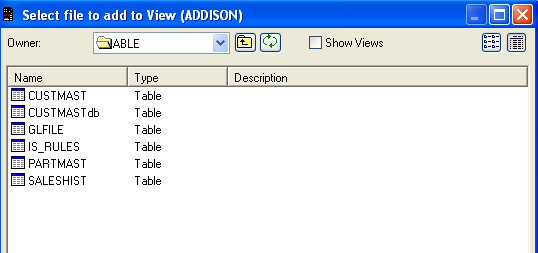
Figure 3: Select tables to add to your view.
Our support team can show you how easy it is to use SEQUEL to solve your database access issues. Call us at 800.328.1000 to request a live demo or a FREE 30-day trial in your own network of databases. Or view an archived presentation on this topic. And check out Help/Systems' other offerings in the MC Showcase Buyer's Guide.

 Business users want new applications now. Market and regulatory pressures require faster application updates and delivery into production. Your IBM i developers may be approaching retirement, and you see no sure way to fill their positions with experienced developers. In addition, you may be caught between maintaining your existing applications and the uncertainty of moving to something new.
 IT managers hoping to find new IBM i talent are discovering that the pool of experienced RPG programmers and operators or administrators with intimate knowledge of the operating system and the applications that run on it is small. This begs the question: How will you manage the platform that supports such a big part of your business? This guide offers strategies and software suggestions to help you plan IT staffing and resources and smooth the transition after your AS/400 talent retires. Read on to learn:
LATEST COMMENTS
MC Press Online