









You spend years with a command, getting to know it, watching it do its job, and just when you think you understand it—bang! —there's yet another surprise. CVTDAT and I went way back, to my System/38 days. We had enjoyed a good working relationship. I used it mostly to convert dates between the MMDDYY format—to which the users were accustomed—and the YYMMDD and YYYYMMDD formats used in the database files. I would also call upon CVTDAT to verify that the value of a variable was a valid date. I thought I understood CVTDAT. God knows I tried.
And then one day, I learned that there is a very good reason why CVTDAT has no FROMSEP parameter: It doesn't need one. But, of course, there's more to the story than that. If you find yourself in a relationship with CVTDAT, here are some things you really should know.
1. There is no FROMSEP parameter because the value to be converted may be edited or not. According to the Help text, CVTDAT allows you a choice of separator characters: period, comma, slash, and hyphen. What the help text doesn't say is that you may also use a single space character as a separator. Therefore, CVTDAT lets you express the date January 28, 2000, in any of these ways on a MMDDYY system:
012800
01.28.00
01,28,00
01/28/00
01-28-00
01 28 00
2. You may omit the leading zeros of the month, day, and year portions of edited dates. The following are some acceptable ways to express January 2, 2003, on a system defined to use MMDDYY date format.
01/02/03
1/2/3
1/2/03
1/02/03
3. You may use the same five editing characters in the TOSEP parameter that are acceptable to the DATE parameter. Specify *BLANK in order to separate the different parts of a date with single spaces. The fact that a blank delimiter is permitted is documented in the Help text.
4. The TOSEP parameter does not apply to—and is ignored when converting to—*ISO/*JIS, *USA, and *EUR formats, for which editing is already defined. *ISO and *JIS are identical. Both use hyphens to edit in YYYY-MM-DD format. *USA uses the slash to edit in MM/DD/YYYY format. *EUR uses the period to edit in DD.MM.YYYY format.
5. Trailing blanks are OK, but leading blanks are a no-no. This applies to both edited and unedited dates. As long as the date is left-justified within the variable, CVTDAT does not care how long the variable is.
DCL &ToDate *CHAR 6
CVTDAT DATE(&FromDate) TOVAR(&ToDate) +
FROMFMT(*YMD) TOFMT(*MDY) TOSEP(*NONE)
If &FromDate has the value 3/6/4 followed by 11 blanks, &ToDate takes the value 060403. If &ToDate had been defined with a longer length, the seventh and subsequent bytes would have been filled with blanks.
Thus I learned that, in addition to converting and verifying dates, CVTDAT can edit and de-edit them. How much more would you like to know about CVTDAT, Mr. or Ms. Inquiring Mind? I'll leave it to you to get better acquainted.
Ted Holt has worked in the information industry since 1981, primarily with IBM midrange systems. He is the author of Complete CL and Power CL, both of which are available from the MC Store. (He has aged a few years since that photo was made).

Ted Holt is IT manager of Manufacturing Systems Development for Day-Brite Capri Omega, a manufacturer of lighting fixtures in Tupelo, Mississippi. He has worked in the information processing industry since 1981 and is the author or co-author of seven books.
MC Press books written by Ted Holt available now on the MC Press Bookstore.
 |
||
 |
|
Complete CL: Fifth Edition Become a CL guru and fully leverage the abilities of your system. List Price $79.95 Now On Sale
|
|
||
 |
|
Complete CL: Sixth Edition Now fully updated! Get the master guide to Control Language programming. List Price $79.95
Now On Sale
|
|
||
 |
|
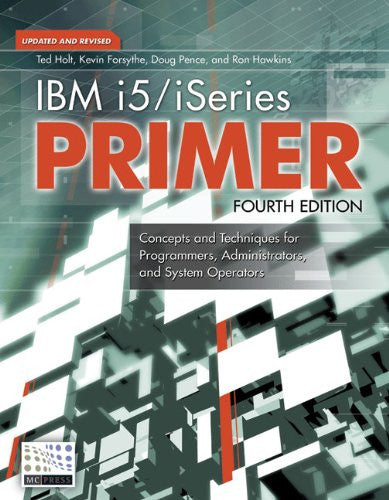
IBM i5/iSeries Primer Check out the ultimate resource and “must-have” guide for every professional working with the i5/iSeries. List Price $99.95 Now On Sale
|
|
||
 |
|
Qshell for iSeries Check out this Unix-style shell and utilities command interface for OS/400. List Price $79.95
Now On Sale
|

 Business users want new applications now. Market and regulatory pressures require faster application updates and delivery into production. Your IBM i developers may be approaching retirement, and you see no sure way to fill their positions with experienced developers. In addition, you may be caught between maintaining your existing applications and the uncertainty of moving to something new.
 IT managers hoping to find new IBM i talent are discovering that the pool of experienced RPG programmers and operators or administrators with intimate knowledge of the operating system and the applications that run on it is small. This begs the question: How will you manage the platform that supports such a big part of your business? This guide offers strategies and software suggestions to help you plan IT staffing and resources and smooth the transition after your AS/400 talent retires. Read on to learn:
LATEST COMMENTS
MC Press Online